

- Introduction
- What Is Payroll Reallocation Between Grants?
- When Is a Payroll Cost Transfer Appropriate?
- How to Correct or Reallocate Payroll Expenses Between Grants
- Documentation, Controls, and Common Mistakes
- Conclusion
- Frequently Asked Questions
Table of contents
Payroll can be charged to the wrong grant for several legitimate reasons. An employee may change assignments during a pay period, a new award may not be available in the accounting system when payroll runs, or an outdated allocation may remain active after responsibilities change.
When an error is found, the nonprofit should correct it. Leaving the cost on the wrong award can misstate grant balances, distort budget-versus-actual reports, and cause the organization to request reimbursement from the wrong funder.
However, payroll reallocation between grants must be more than a journal entry. The correction should show why the original charge was wrong, why the receiving grant is correct, how the amount was calculated, who approved the change, and how the final amounts reconcile to payroll and the general ledger.
This article explains how to complete a payroll cost transfer, what documentation to retain, how to record the correction in QuickBooks Online, and which practices can create compliance concerns. It provides general educational information. Organizations should also follow their award terms, written policies, pass-through entity requirements, and professional accounting advice.
Key Takeaways
- A payroll cost transfer should correct an error or supported change in allocation, not solve a budget shortfall.
- The receiving grant must have benefited from the employee's work and must permit the cost.
- The correction should rely on records that reflect the employee's actual work, not only budget estimates or available grant balances.
- A reallocation should move the expense classification without changing the employee's net pay or duplicating payroll costs.
- Related employer taxes and fringe benefits should be reviewed and corrected under the organization's consistent accounting policy.
- Every transfer needs a calculation, explanation, approval, accounting reference, and reconciliation.
- Federal rules do not create one universal 90-day deadline for every payroll transfer. The organization must follow applicable award, agency, pass-through, and internal deadlines.
What Is Payroll Reallocation Between Grants?
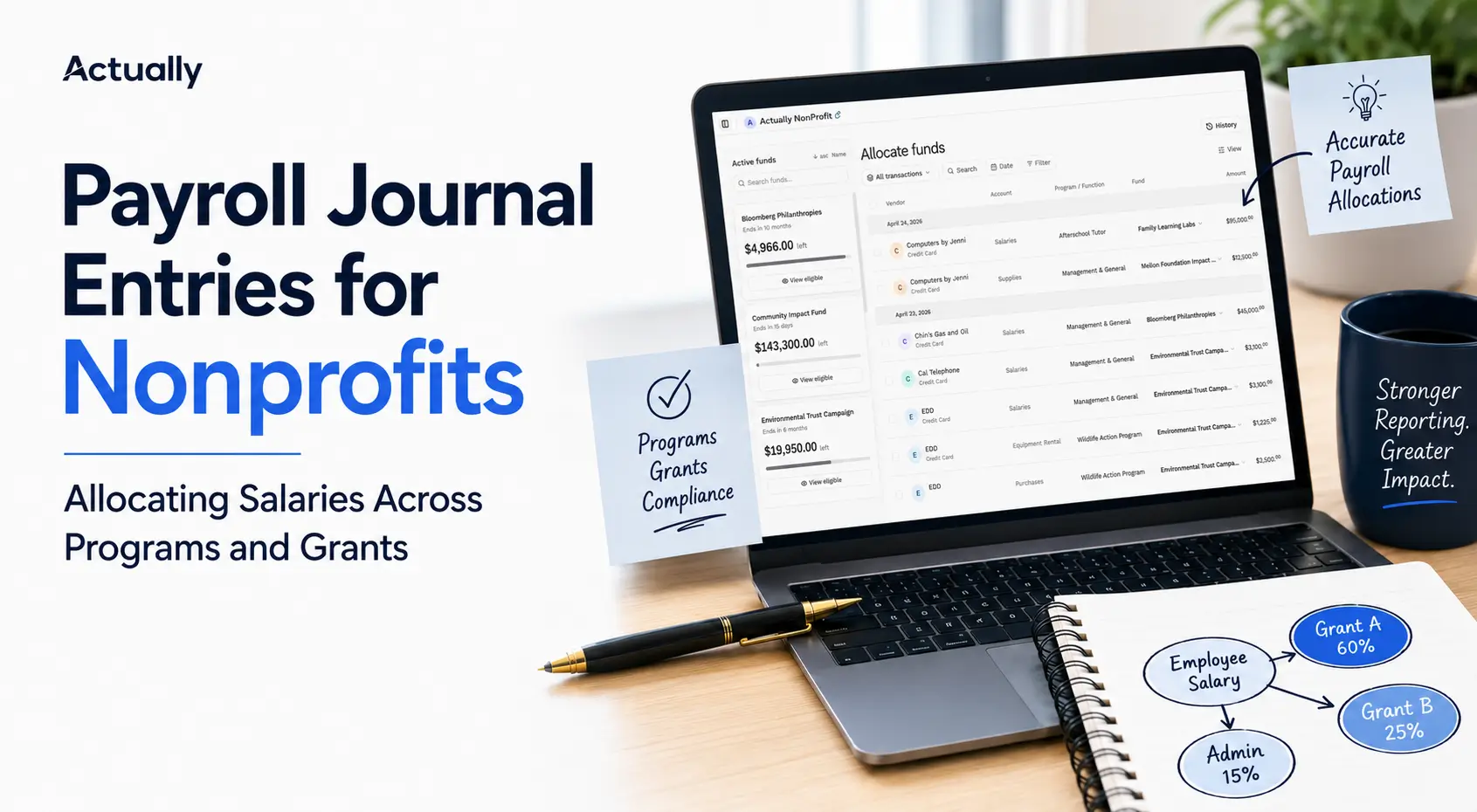
Payroll reallocation between grants is the process of moving an employee's payroll expense from the grant, program, or funding source originally charged to the cost objective that actually benefited from the work.
The correction may affect:
- Gross salary or wages
- Employer payroll taxes
- Allowable fringe benefits
- Program or functional expense classifications
- Indirect cost calculations connected with the transferred direct cost
- Grant reimbursement requests and financial reports
A payroll reallocation is also commonly called a payroll cost transfer, salary transfer, labor cost transfer, or payroll allocation correction.
Reallocation Does Not Mean Changing the Employee's Pay
If the employee was paid the correct gross wages and deductions, correcting payroll allocations usually changes only the accounting distribution. It should not change the employee's paycheck, tax withholding, direct deposit, or payroll liabilities.
If the underlying paycheck is wrong, such as incorrect hours, pay rate, tax treatment, or employee deduction, that is a payroll correction rather than only a grant reclassification. It should be handled through the payroll system under the appropriate payroll procedures.
Reallocation Versus Initial Allocation
An initial allocation distributes payroll when payroll is recorded. A reallocation changes that distribution after the original posting.
For example:
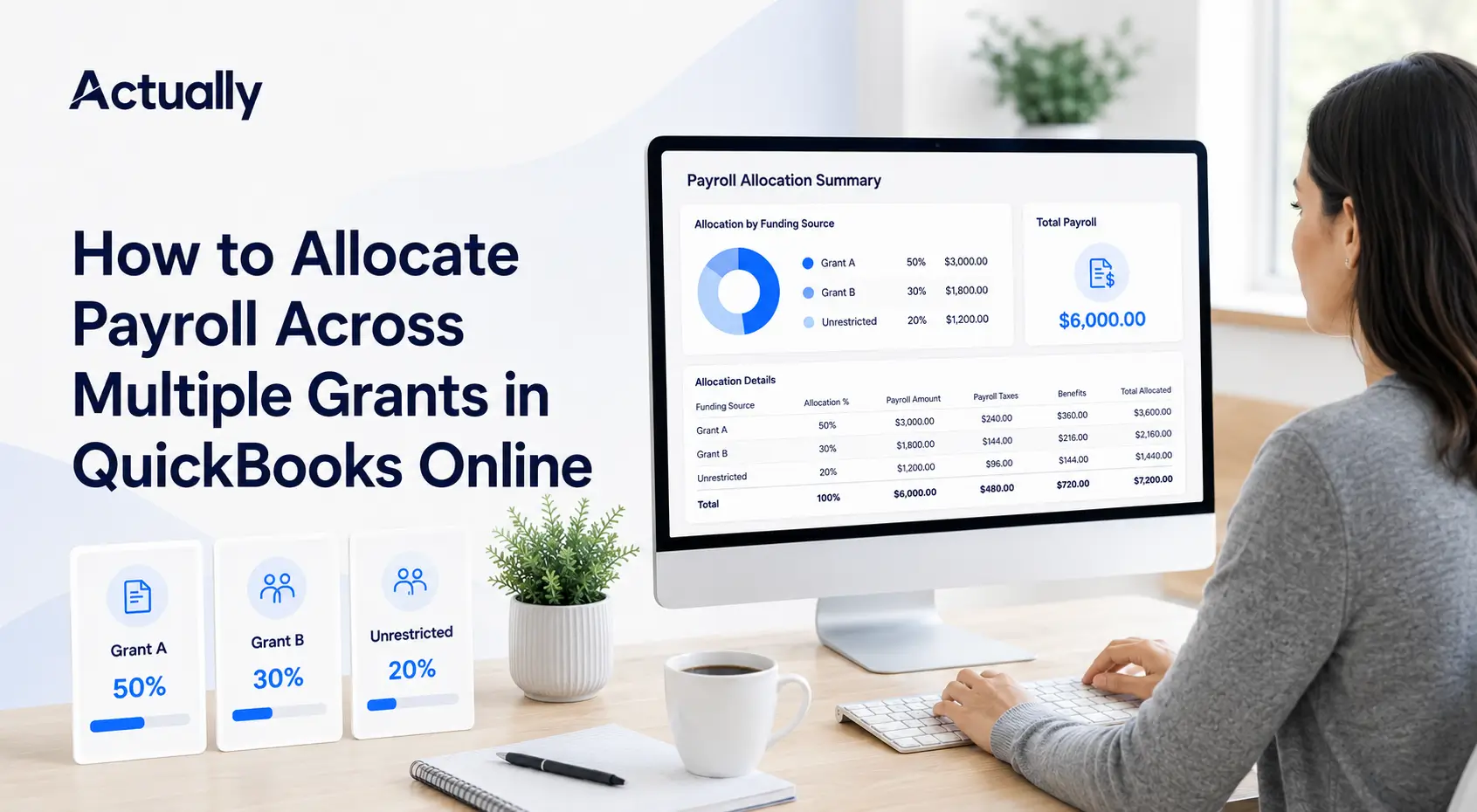
- Initial allocation: A $6,000 salary is recorded as 60% to Grant A and 40% to Grant B during payroll processing.
- Reallocation: Later review shows that the supported allocation should have been 45% to Grant A and 55% to Grant B. The organization transfers the difference from Grant A to Grant B.
The total payroll cost remains $6,000. Only the grant distribution changes.
Why Payroll Reallocations Receive Extra Scrutiny
Frequent, late, or poorly explained cost transfers can indicate that the organization's original allocation process is unreliable. Transfers into a grant near its end date can also appear to be driven by an available balance rather than the work performed.
The existence of a transfer does not automatically make the cost improper. A prompt, well-supported correction is a valid accounting action. The concern is whether the receiving grant benefited from the work and whether the organization can demonstrate that connection.
When Is a Payroll Cost Transfer Appropriate?
A payroll cost transfer is appropriate when it corrects the accounting records to reflect supported facts. It is not appropriate when it is used to manage grant balances without a valid cost basis.
Appropriate Reasons for Correcting Payroll Allocations
The organization should still confirm that the cost is allowable, occurred within the grant period, and complies with any salary limitations, prior-approval requirements, or funding restrictions.
Reasons That Do Not Support a Transfer
The following explanations do not establish that payroll belongs to the receiving grant:
- “Grant A has no budget left.”
- “Grant B has money remaining.”
- “The grant ends this month.”
- “Management requested the transfer.”
- “We need to maximize reimbursement.”
- “The program budget needs to match.”
- “To correct an error,” without describing the error and the correct basis.
For federal awards, 2 CFR 200.405 requires costs to be assigned according to relative benefit. It also prohibits charging a cost to another federal award merely to overcome a funding deficiency or avoid restrictions.
Four Tests for the Receiving Grant
Before moving payroll to a grant, confirm all four conditions:
- Benefit: The employee performed work that benefited the receiving grant.
- Allowability: The award and applicable rules permit the compensation cost.
- Timing: The work occurred within the allowable period of performance, unless a permitted exception applies.
- Support: Records show how the transferred amount was determined.
An available budget balance is not a fifth test and cannot replace these four.
Does Every Payroll Transfer Have a 90-Day Deadline?
No single 90-day rule applies to every grant and every nonprofit. Some funders, pass-through entities, institutions, or internal policies impose 30-day, 60-day, 90-day, or other correction deadlines. Others use a reasonableness or prompt-correction standard.
The nonprofit should follow the shortest applicable deadline in its award terms and policies. Even when no specific number of days is stated, the transfer should be completed promptly after discovery.
As one funder-specific example, the NIH Grants Policy Statement says recipients should have systems that detect errors within a reasonable time frame and notes that untimely discovery may indicate weak internal controls. NIH policy applies to NIH awards and should not be presented as a universal rule for all grants.
How to Correct or Reallocate Payroll Expenses Between Grants
A reliable correction process begins with the original payroll record and ends with a reconciled, approved accounting entry. The following steps can be adapted to the nonprofit's system and policy.
Step 1: Identify the Original Charge
Locate the employee, pay period, payroll transaction, expense account, original grant or class, and amount charged. Do not begin with the amount that the receiving grant can absorb.
Confirm whether the issue affects:
- One employee or several employees
- One pay period or a recurring setup
- Salary only or related employer costs
- A class, project, customer, location, or general-ledger account
- A submitted reimbursement request or funder report
- A closed accounting period
If the problem came from a recurring payroll setup, correct future settings as well as the historical error.
Step 2: Determine the Correct Allocation
Use the most reliable support available for the period. Depending on the award and organizational policy, this may include:
- Employee time or activity records
- Approved schedules with documented exceptions
- Supervisor-certified work assignments
- Payroll allocation reports
- Project records or service logs
- Another reasonable method that reflects the benefit received
For federal awards, 2 CFR 200.430 requires salary and wage charges to be based on records that accurately reflect work performed and to be supported by the organization's internal controls. Budget estimates can support interim accounting under specified conditions, but they must be reviewed against actual activity and adjusted when necessary.
Step 3: Calculate the Transfer Amount
The payroll cost transfer equals the difference between the correct allocation and the amount originally charged.
Payroll cost transfer = Correct grant allocation − Original grant allocation
Assume an employee has $6,000 of gross salary for the month. Payroll was originally allocated 80% to Grant A and 20% to Grant B. Supported records show the correct allocation was 55% to Grant A and 45% to Grant B.
The correction moves $1,500 from Grant A to Grant B. The employee's total salary remains $6,000.
If employer payroll taxes and fringe benefits followed the incorrect salary distribution, calculate the related correction separately using the organization's approved method. Do not assume every payroll component uses the same percentage without checking policy and award terms.
Step 4: Prepare the Cost-Transfer Explanation
A useful explanation answers three questions:
- What caused the original error?
- Why does the receiving grant benefit from the payroll cost?
- What control will prevent the error from recurring?
Weak explanation:
“Move $1,500 to Grant B to correct payroll.”
Stronger explanation:
“The employee's payroll allocation remained at 80% Grant A and 20% Grant B after the employee began supporting Grant B on June 1. Supervisor-approved activity records for June support a 55% Grant A and 45% Grant B allocation. This transfer moves $1,500 of June salary from Grant A to Grant B. The recurring payroll allocation was updated before the next payroll run.”
The stronger explanation identifies the error, dates the change, connects the cost to the receiving grant, states the calculation, and describes corrective action.
Step 5: Obtain Independent Review and Approval
The employee, program manager, grant manager, finance reviewer, or another authorized person may need to confirm the correction. The appropriate approver depends on the organization's size and policy.
Whenever possible, the person approving the transfer should not be the only person who prepared and posted it. Transfers involving senior staff, closed periods, submitted funder reports, or material amounts may require additional review.
Step 6: Record the Correction in QuickBooks Online
The appropriate QuickBooks method depends on how payroll was originally posted, which field is wrong, the subscription, and whether the period is closed.
Possible methods include:
- Correcting an editable class, project, customer, or account assignment on the related accounting transaction
- Using payroll accounting reclassification settings for a supported prior date range
- Using the reclassify transactions tool in QuickBooks Online Accountant or QuickBooks Online Advanced when the transaction and field are eligible
- Recording a balanced reclassification journal entry under the organization's accounting policy
Intuit currently documents a payroll accounting workflow that can reclassify classes and chart-of-accounts assignments for past transactions within a selected date range. Intuit also states that its general reclassify tool is available in QuickBooks Online Accountant and QuickBooks Online Advanced. Availability and eligible transaction fields can vary, so review the proposed change before applying it to a date range.
When a journal entry is used solely to correct the grant distribution, a basic salary transfer may look like this:
This entry changes the expense distribution without changing cash, net pay, tax withholding, or payroll liabilities. The memo should identify the employee or payroll reference, pay period, transfer form, and reason for the correction without exposing sensitive payroll information to unauthorized users.
Consult the nonprofit's accountant before using journal entries for payroll reclassification. Do not delete, void, or rerun a correct paycheck solely to change its grant coding unless the payroll system and professional adviser require that method.
Step 7: Reconcile the Result
After posting, confirm that:
- The transferred amount left the original grant.
- The same amount reached the receiving grant.
- Total payroll expense did not increase or decrease.
- Related taxes and benefits were handled correctly.
- The general ledger agrees with the payroll register.
- Grant budget-versus-actual reports reflect the correction.
- No duplicate journal entry or payroll expense was created.
- Any affected reimbursement request or funder report was reviewed.
Save the final reports with the approved cost-transfer support.
Documentation, Controls, and Common Mistakes
Correcting payroll allocations is defensible when the organization can show a clear chain from the employee's work to the final accounting entry.
What a Payroll Cost-Transfer Form Should Include
Common Payroll Reallocation Mistakes
- Moving payroll based on available grant balances rather than supported work
- Using the same vague explanation for every transfer
- Correcting salary but ignoring related employer taxes or benefits
- Reallocating a cost outside the receiving grant's period of performance
- Transferring payroll to a grant that did not benefit from the work
- Editing the books without retaining the original distribution and approval
- Posting the transfer twice, once through payroll and again through a journal entry
- Changing payroll liabilities when only the grant classification was wrong
- Correcting historical transactions but leaving the recurring payroll setup unchanged
- Posting into a closed period without authorized review
- Failing to revise an affected reimbursement request or funder report
- Waiting until grant closeout to review several months of payroll
Monthly Controls That Reduce Cost Transfers
The goal is not to prohibit every transfer. The goal is to detect errors early and reduce preventable corrections.
Use a monthly process that includes:
- Comparing employee assignments with active payroll allocations
- Reviewing new, ended, and modified grants
- Checking payroll transactions with missing classes or projects
- Reconciling payroll expenses to the payroll register
- Comparing salary charges with supported activity
- Reviewing payroll by grant for unusual changes
- Confirming that transferred costs appear only once
- Updating future payroll settings after approved staffing changes
- Reviewing grant budget balances and periods of performance
- Closing reviewed periods under the organization's accounting policy
Record-Retention Requirements
For federal awards, 2 CFR 200.334 generally requires recipients and subrecipients to retain federal award records for three years from submission of the final financial report. The rule includes exceptions that can extend or change the period, such as litigation, claims, audits, or program-specific requirements.
Private, state, local, and pass-through awards may use different retention periods. Follow the longest applicable requirement and retain the cost-transfer record with its source documentation, approval, accounting entry, and final reconciliation.
How Actually Supports Payroll Allocation Visibility
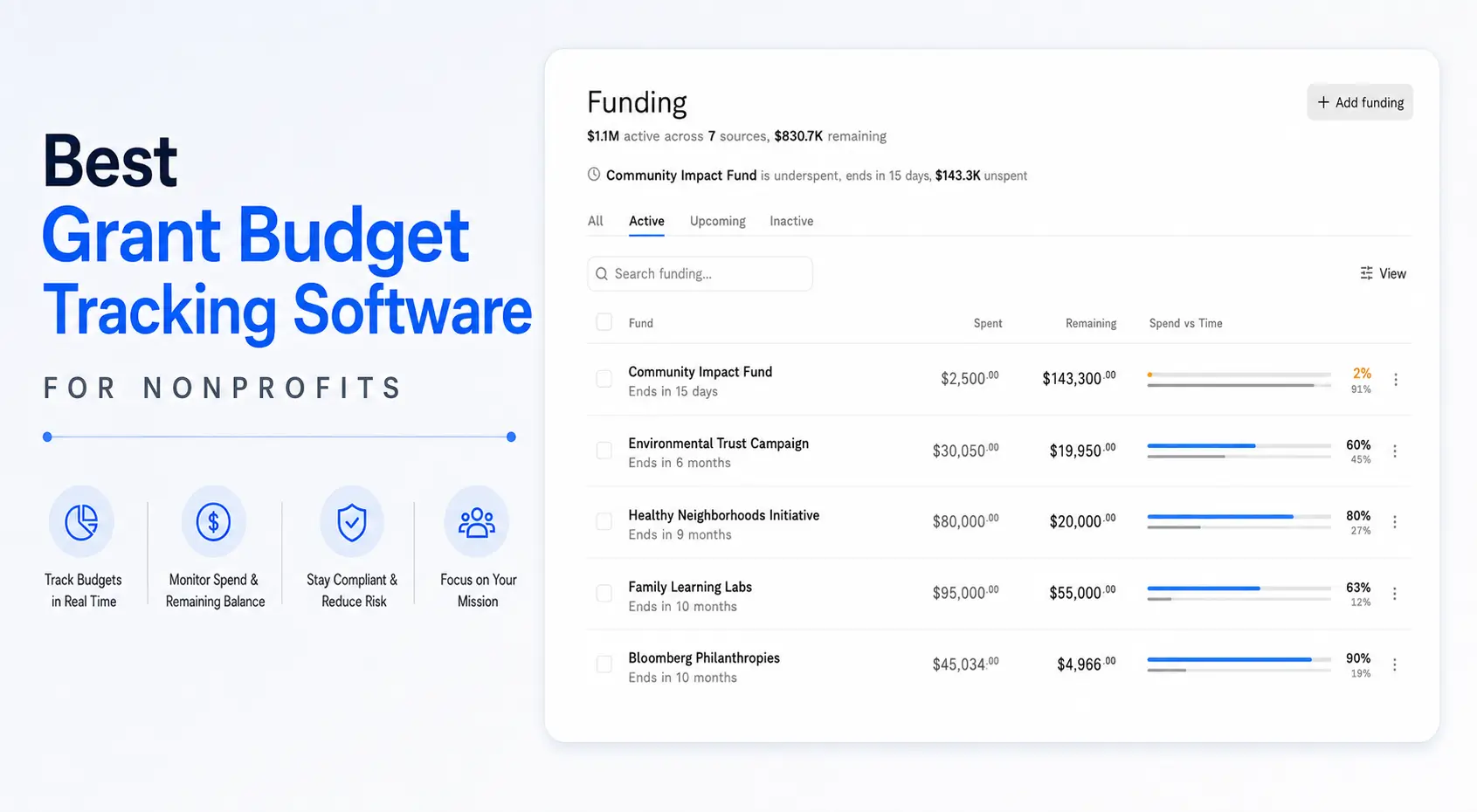
Once payroll and correcting entries are recorded in QuickBooks Online, Actually can help nonprofits see how those costs affect grant budgets, remaining balances, and budget-versus-actual results.
This visibility can help finance teams notice unusual payroll shifts, charges to ended grants, or differences between planned staffing and recorded costs earlier in the month.
Actually does not determine whether a transfer is allowable, replace employee activity records, or approve cost transfers. It provides grant-budget visibility around the accounting data so finance and program teams can review the effect of corrections without relying on disconnected spreadsheets.
For related guidance, see:
Conclusion
Payroll reallocation between grants should restore accuracy, not redistribute costs according to whichever award has room in its budget.
Start with the original payroll record, determine the correct distribution from supported activity, calculate the difference, document why the receiving grant benefited, obtain approval, and record a balanced correction. Then reconcile the corrected grant reports to both payroll and the general ledger.
Prompt corrections with specific explanations are easier to review than large transfers prepared near grant closeout. A monthly payroll allocation review, clear approval responsibilities, and updated recurring settings can prevent many errors from repeating.
QuickBooks Online can record or reclassify payroll accounting details through several workflows, depending on the subscription and transaction. Actually can then help the nonprofit understand how corrected payroll affects each grant's spending and remaining budget.
Frequently Asked Questions
What is a payroll reallocation between grants?
A payroll reallocation moves salary or related employer costs from the grant originally charged to the grant or activity that actually benefited from the employee's work. The employee's total pay generally remains unchanged when only the accounting distribution is corrected.
When is a payroll cost transfer allowable?
A transfer may be allowable when it corrects a documented error and the receiving grant benefited from the work, permits the cost, covers the relevant work period, and has adequate supporting records. The specific award terms and applicable rules control.
Can payroll be moved because one grant is over budget?
No. A budget deficit does not establish that another grant should receive the cost. For federal awards, costs cannot be shifted to another award merely to overcome a funding deficiency or avoid restrictions.
Is there a 90-day deadline for correcting payroll allocations?
There is no single 90-day deadline that applies to every nonprofit and grant. Funders, pass-through entities, and organizational policies may impose specific deadlines. Corrections should be made promptly after discovery and within the shortest applicable deadline.
What documentation is needed for a payroll cost transfer?
Retain the original charge, correct allocation, calculation, reason for the error, explanation of benefit to the receiving grant, supporting activity records, approvals, accounting reference, timing, and reconciliation. Include the treatment of taxes, benefits, and reporting changes when relevant.
Should employer payroll taxes and benefits be reallocated with salary?
Review them separately. Related employer costs may follow salary when that treatment is reasonable, consistently applied, supported by policy, and permitted by the award. Some benefits or indirect costs may use a different approved method.
Can QuickBooks Online reclassify past payroll expenses?
Intuit currently documents options for reclassifying payroll accounting settings over a prior date range. QuickBooks Online Accountant and Advanced also include a reclassify transactions tool for eligible transactions and fields. The proper method depends on the payroll setup, subscription, and type of coding error.
Does a grant reallocation change the employee's paycheck?
Not when the paycheck itself was correct. A grant reallocation usually changes only the accounting classification. Incorrect wages, taxes, deductions, or net pay require a separate payroll correction.

David Cristello
.svg)
About the Author
David Cristello is the Co-Founder of Actually Finance. He's been an entrepreneur in the accounting and nonprofit space for over 10 years, previously building a company that made the Inc5000 list
.png)






.webp)